
Support SOP guide · Aug 20, 2026
Building support SOPs from repeated ticket workflows
Repeated support tickets are evidence that a workflow deserves documentation. A useful support SOP turns the resolution path into a reviewable sequence while keeping diagnosis, exceptions and customer data separate from the reusable instructions.
Start with a repeatable resolution, not a ticket transcript
A ticket records one conversation. An SOP should describe the stable work that can resolve many similar cases. Begin with a narrow outcome such as verifying an account setting, collecting a diagnostic file or correcting a common configuration. State the starting conditions and the visible result that confirms completion.
Remove details that belong only to the original request: names, email addresses, order numbers and incidental conversation. Keep the information that changes the path, such as account state, permissions or product version. Those conditions become decision points rather than hidden assumptions.
Perform the workflow in a safe example environment
Run the resolution as a support specialist would, using sample data whenever possible. Capturing the actual sequence preserves current interface labels, menu locations and system feedback. It also exposes small dependencies that are often lost when instructions are written later from memory.
Do not treat every recorded action as an instruction. Navigation mistakes, exploratory clicks and repeated checks may be useful during diagnosis but create noise in a reusable SOP. Review the captured sequence, restore any action that explains a dependency, and remove only what the next agent does not need.
Separate actions, checks and escalation rules
Each step should tell the agent what to do and what result to expect. Add a check after consequential actions: a status changes, a message appears or a file is created. If the expected result is absent, link the step to a defined alternative or escalation path rather than asking the agent to improvise.
Keep policy decisions outside screenshots. Refund approval, identity verification and access control may change independently of the software interface. Put those rules in clearly labeled notes with an owner, then let the captured steps document the mechanical workflow. This makes interface updates and policy reviews easier to manage separately.
Review privacy before the SOP is shared
Support workflows can expose customer identifiers, internal URLs, tokens and account details. Crop unrelated regions and redact any information that is not required to complete the task. Automated detection can identify candidates, but an author must review every screenshot and the finished export. A proposed region is not a privacy guarantee.
When optional cloud assistance is used, document that choice accurately. StepShot's cloud planner sends text semantics by default. Visual samples require a separate, default-off consent and are sanitized locally before transmission. Teams can keep capture, editing and export entirely local by leaving cloud optimization disabled.
Publish one source in the format support needs
A self-contained HTML guide is convenient for a portable internal page. Markdown works well in a versioned knowledge base, while PDF provides a fixed handout for training or controlled review. Whichever format you choose, assign an owner and record which product state or interface version the procedure was checked against.
Use incoming tickets as maintenance signals. If agents repeatedly pause at the same step, add the missing check or context. If a release changes only part of the path, recapture that portion and compare it with the existing guide. The goal is not to rewrite the SOP on a calendar; it is to update the evidence when the workflow changes.
How StepShot supports customer support SOPs
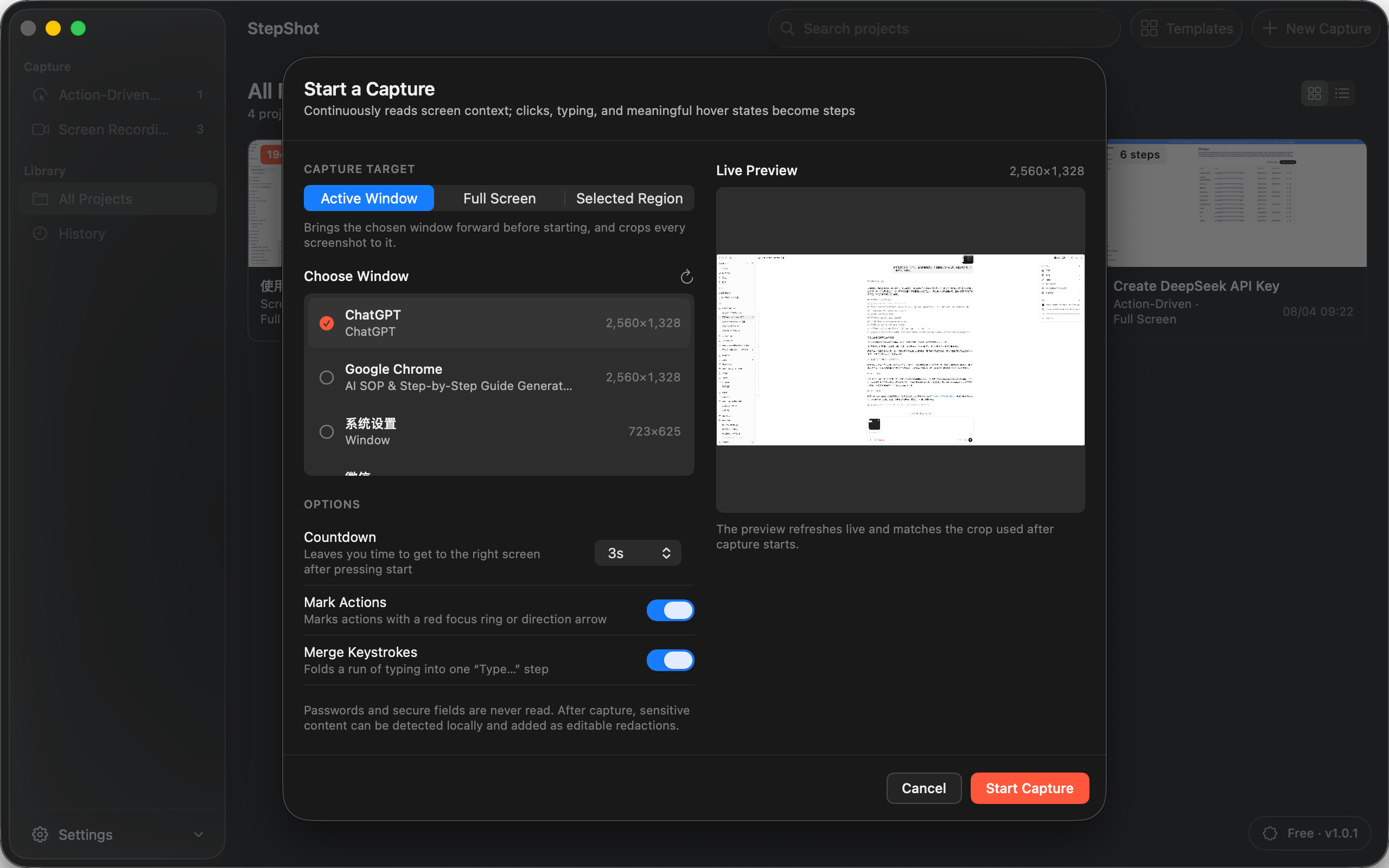
StepShot for macOS 14 and later turns an action-driven capture or screen recording into an editable local draft. Authors can reorder, merge, skip or restore steps; insert notes and section headings; adjust framing and annotations; and review local OCR redaction candidates before export. Password characters are never read.
The deterministic local planner works without a cloud model. Optional, user-configured OpenAI-compatible optimization can suggest document titles, step descriptions, visibility and order while keeping the proposed changes reviewable. A failed cloud request leaves the local draft intact. Finished SOPs export as PDF, Markdown or self-contained HTML, subject to the selected plan's limits.
Explore the StepShot documentation workflow, follow the capture guide, or compare Free, Pro and Team export options.