Step-by-step guide - Nov 4, 2026
Step-by-step guide: explain handoffs between applications
A step-by-step guide can be clear inside each application and still lose the reader between them. A file appears in a second tool, a browser opens a new window or a value moves from one form to another without explanation. Treat those transitions as part of the procedure. The reader needs to know what leaves the first application, where it goes and how to confirm that the next stage starts correctly.
Name the output before switching applications
Before documenting a switch, identify what the first application produces. It might be a saved file, a copied value or a visible confirmation that enables the next action. Explain the item in terms the reader can recognize. Use safe example data and make clear which names are illustrations rather than required real-world values.
Do not let “continue in the next app” conceal an unfinished action. If a file must be saved, state that and verify the result before moving on. If the next stage depends on a particular format or state, describe the requirement. A screenshot of the second application is not evidence that the preceding output was created successfully.
Show the destination and the entry point
Name the application or window readers should open next. Distinguish it from another tab, another account or a similarly named workspace when that difference affects the task. Show the relevant heading or navigation landmark so the screenshot establishes a recognizable location rather than presenting an isolated dialog.
Explain how the reader reaches the entry point. An import panel that is already open may require navigation that an experienced author performs without thinking. Include the actions that the intended audience needs, or link to a preparation procedure. Avoid assuming that readers have the same windows open in the same arrangement as the recording session.
Make transferred values and files traceable
When a value moves between applications, identify its source and intended destination. Distinguish a record identifier from a display name or another similar value. Review the example to ensure it does not include a credential or private account detail. The guide should explain the relationship without requiring readers to copy sensitive demonstration material.
For files, show how to select the output from the preceding stage. Check that the chosen filename, location and revision agree with the instructions. A recently used file may be convenient during authoring but can hide a dependency on your local history. Test a path a reader can follow from the stated starting conditions.
Capture the transition with sufficient context
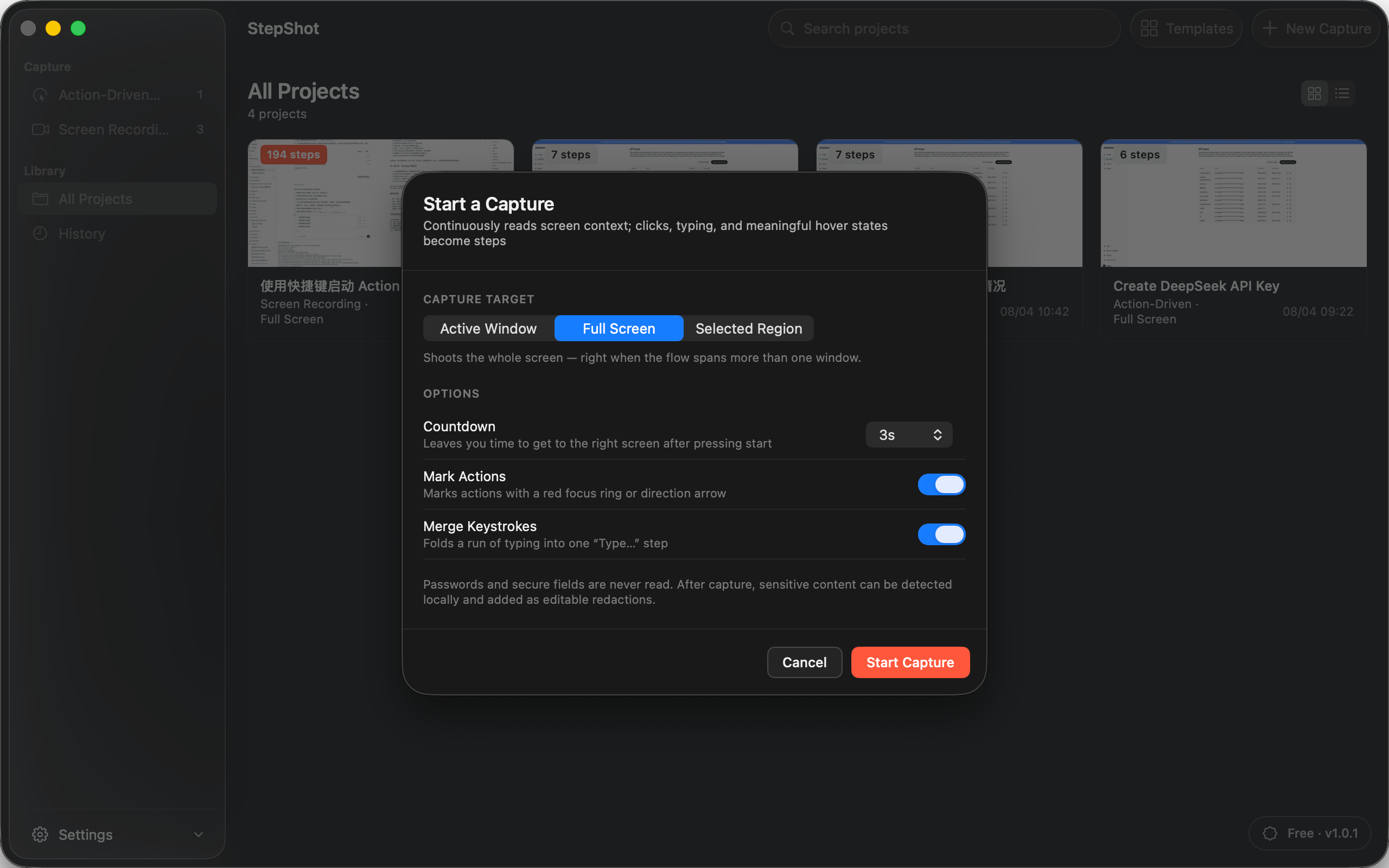
Choose a recording area that includes the evidence you need. StepShot offers active-window, full-screen and selected-region capture targets. For a workflow spanning windows, check the preview and the resulting material deliberately rather than assuming a selected window will follow every later application switch.
A wider capture can help establish the relationship between windows, but it also includes more surrounding information. Close unrelated material and inspect what was retained. Keep enough context in the finished images to show the handoff, then remove distractions through a considered capture and editing process. Do not crop away the clue that explains which application a reader is using.
Verify that the next stage received the right result
Add a checkpoint after the handoff. Confirm a recognizable property of the imported file, selected record or resulting state. An open destination window only proves that the window is open. Define the evidence that distinguishes a successful transfer from an empty panel or an earlier item that happened to remain visible.
Finally, follow the entire guide across the application boundary. StepShot for macOS 14 and later lets authors revise titles and descriptions, reorder steps and add notes or headings. Use the capture guide to choose the recording target and the editor guide to prepare the sequence. These controls support documenting a handoff; they do not connect arbitrary applications or transfer data for the reader. Verify the complete path before sharing the finished guide.