
Documentation comparison · Sep 12, 2026
SOP generator vs. knowledge base software: which job belongs where?
An SOP generator helps authors turn a real task into tested instructions. A knowledge base helps a team publish, find and govern those instructions. Many documentation systems need both jobs.
Compare jobs, not labels
Software categories overlap, so begin with the work your team must complete. Someone has to observe a procedure, choose meaningful actions, write clear instructions and verify the evidence. After that, someone has to place the approved guide where readers can discover it, control access, connect related pages and manage revisions.
An SOP generator is usually strongest in the first group of tasks. Knowledge base software is usually strongest in the second. A long-form editor can write instructions, and a capture tool can export a shareable file, but those adjacent features do not make the two jobs identical.
Use an SOP generator when evidence is the bottleneck
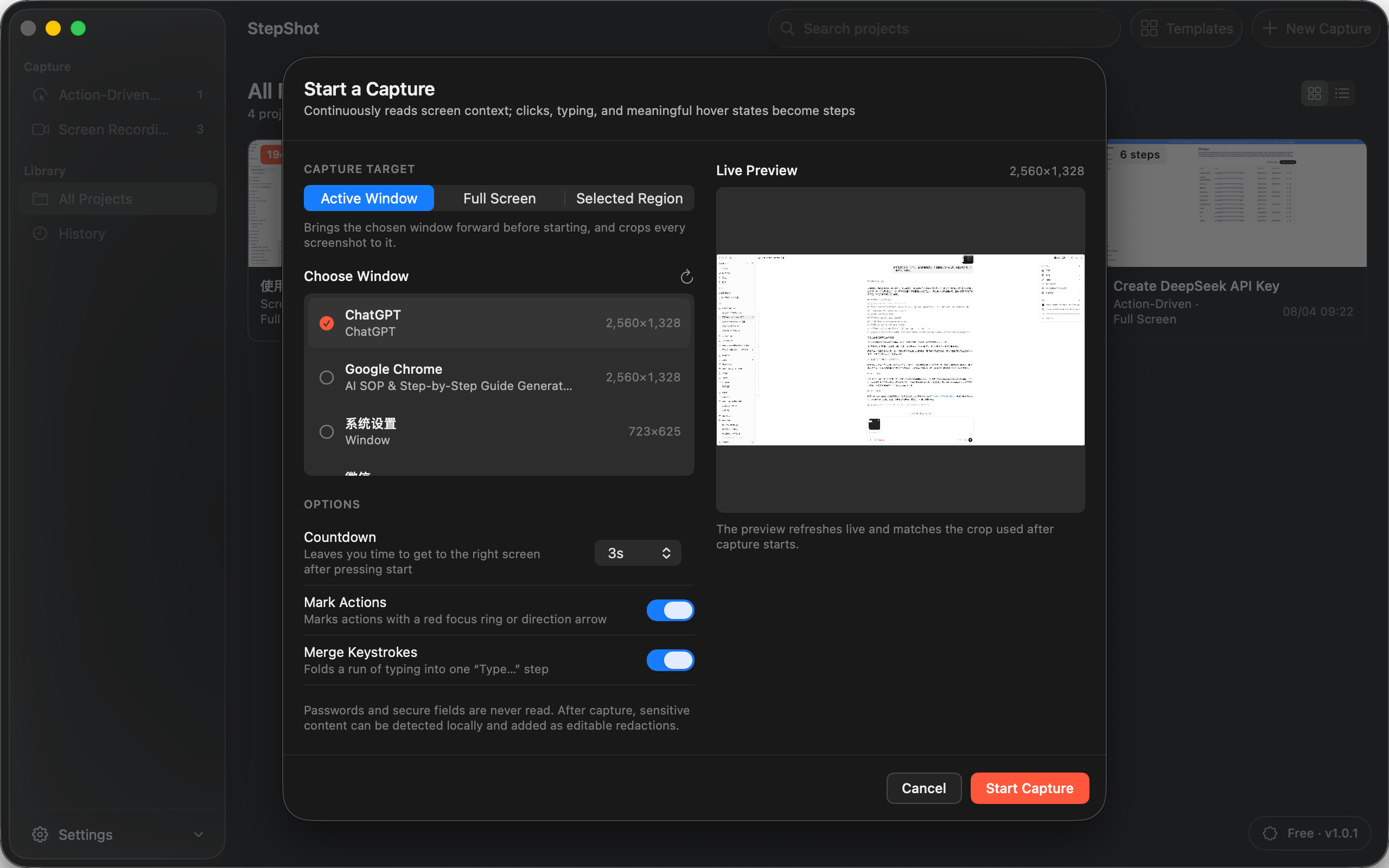
Choose workflow capture when authors spend too much time taking screenshots, naming clicks, numbering steps and rebuilding a procedure after a mistake. Recording the real task can preserve action order and visual context before memory smooths over important details.
The generated draft still needs an owner. Review prerequisites, remove incidental actions, make each result observable and confirm that screenshots show the correct state. For sensitive workflows, inspect every frame and make redaction part of the approval gate rather than a cleanup task after publication.
Use a knowledge base when distribution is the bottleneck
Choose a knowledge base when readers struggle to find the approved answer, page permissions need central administration or related procedures need a stable information architecture. Search, navigation, page ownership and access policy matter after the instructions themselves are ready.
Confirm how the destination handles images, Markdown, embedded HTML, attachments and revision history. A knowledge base may become the maintained source, or it may receive approved exports from another authoring system. Either model can work, but the team should name one source of truth instead of editing disconnected copies.
Use both when creation and publishing have different owners
A practical handoff is capture, review, export, publish, then test. The process expert records the real workflow. A reviewer checks accuracy, privacy and exceptions. The publisher moves the approved artifact into the knowledge base, applies its metadata and permissions, and verifies the rendered result.
Decide what triggers the next review. A changed interface, permission model or policy should reopen the source procedure even if the knowledge base page still looks current. Record the source project, publication URL, owner and last verified product version together so the relationship survives staff changes.
Questions to ask before choosing
Ask where authoring time is currently lost, whether the procedure needs screenshot evidence, who approves sensitive content and what format the destination accepts. Then ask how readers search, how access is controlled, whether revisions need formal history and which system owns the next update.
A small team with a few stable procedures may only need a careful editor and shared folder. A team documenting frequently changing software may benefit from dedicated capture plus an established publishing destination. The right boundary follows the workflow, not the category name.
Where StepShot fits
StepShot is a local-first SOP and step-by-step guide generator for macOS 14 and later. It supports action-driven and screen-recording capture, editable steps, annotations, locally reviewed pixel redaction and PDF, Markdown or self-contained HTML export. Projects stay local by default; optional cloud optimization uses an OpenAI-compatible endpoint configured by the user and is not required for a complete local draft.
StepShot is not a hosted knowledge base and does not provide cloud project sync, shared page permissions or a published Notion connection. Use the capture guide to understand authoring, the export guide to plan the handoff, and features to verify current product boundaries before choosing the rest of your documentation stack.