
Screen recording alternative · Sep 2, 2026
Screen recording alternative for SOPs: a decision guide
A recording is useful evidence, but an SOP reader usually needs a searchable, editable answer. Use this decision guide to choose the right documentation output.
Start with the reader's job
Keep a screen recording when timing, motion or spoken context is the point. Choose a written guide when someone must complete one action, check a result or return to the same answer later. A numbered SOP exposes the sequence at a glance and gives reviewers a precise place to correct an instruction.
This is the first test for a screen recording alternative: can the reader find the needed action without watching everything before it? If the answer is no, the final deliverable should be a structured document, even when a recording remains useful source material.
Check whether the workflow needs maintenance
Interface changes rarely affect every step equally. With a document, an author can replace one screenshot, edit one sentence or merge two actions. A long video often requires a new take, a new voiceover and another review pass. For onboarding, support and operations teams, that difference compounds each time the product changes.
Look for reordering, skipped-step review, notes and headings, framing controls, annotations and a way to repair a step from captured footage. These controls turn a real task into maintainable source material instead of a locked timeline.
Make privacy review part of the decision
Documentation can expose account names, customer records, internal URLs or tokens. A practical alternative lets the author narrow the capture target, inspect every frame and apply irreversible redaction locally before sharing. Automatic redaction can suggest candidates, but a person still needs to confirm the result and inspect the finished export.
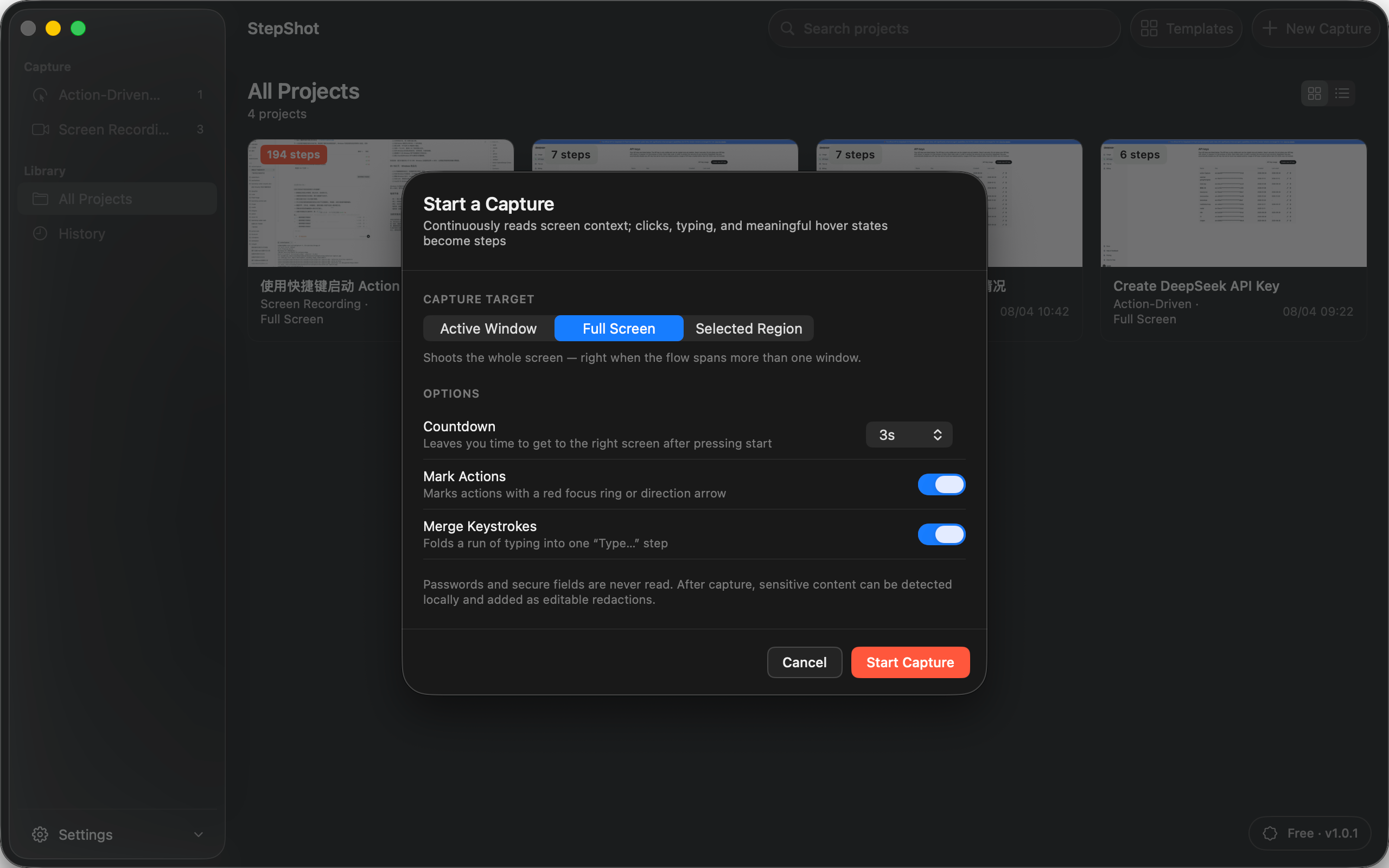
StepShot captures, edits and exports locally by default. Optional cloud planning uses an endpoint and key supplied by the user; text semantics are sent by default, while visual samples require separate consent and local sanitization first.
Match the output to its destination
PDF suits fixed training handouts. Markdown fits repositories and knowledge bases. Self-contained HTML is convenient when a file must open without remote image dependencies. Test the actual output for readable screenshots, working links, correct numbering and complete redactions.
Use the recording as evidence, not the product
StepShot for macOS 14 and later supports action-driven capture and continuous recording for active windows, full screens and selected regions. Its local planner creates an editable draft from real actions. Authors can refine order, merge or skip steps, add notes and headings, adjust framing and annotations, and review proposed redactions. Recording-mode projects can locate frames and create or repair steps during editing.
That hybrid workflow keeps the truth of the run while giving readers a document they can scan and maintain. See the StepShot feature set, read the capture guide, or compare Free, Pro and Team export limits.